Print & hand out
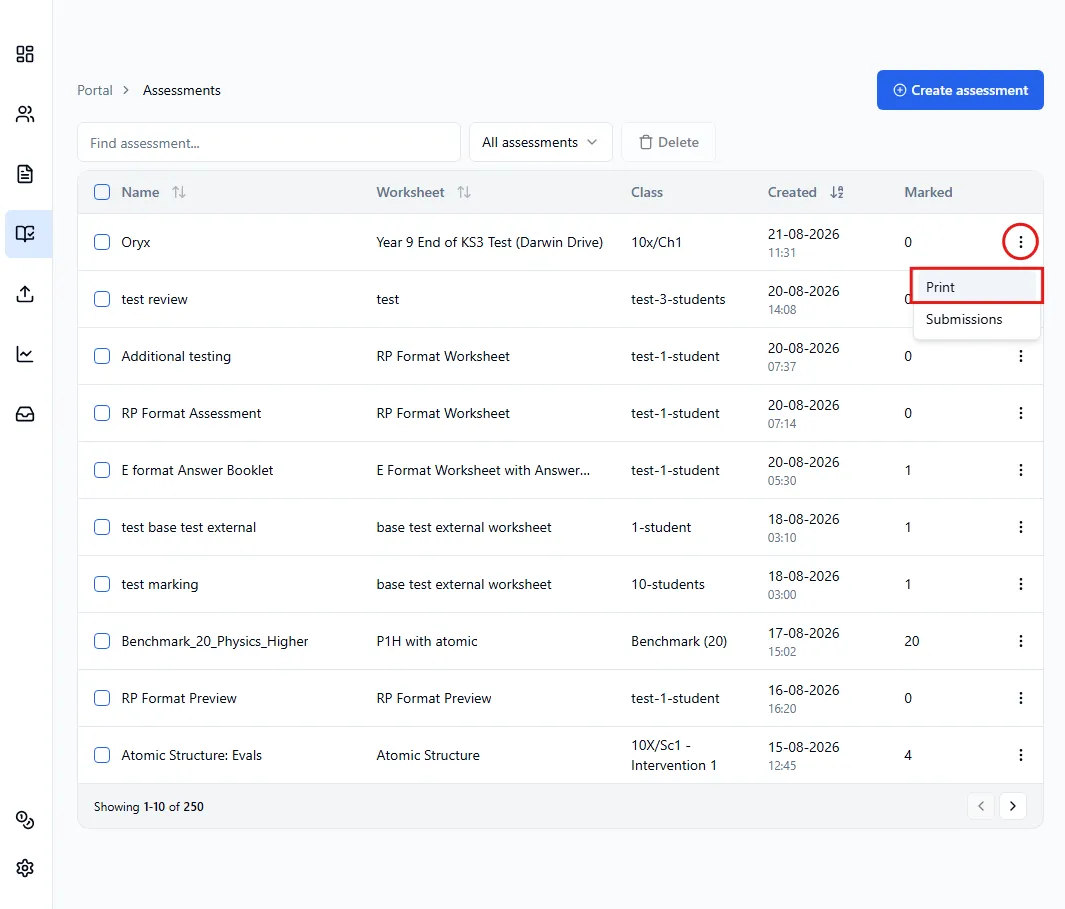
Once you are in the assessments table, click the three dots to the right of the assessment and click Print.
Printing RP and external assessments
Section titled “Printing RP and external assessments”You will then have two options to choose from:
- Combined: opens a new tab with all the student assessments combined into one PDF.
- Separate: downloads a .zip file with one PDF per student, named
Lastname_Firstname_StudentID.pdf.

Printing external assessments with answer booklet
Section titled “Printing external assessments with answer booklet”With external worksheets with the answer booklet feature, the answer booklets contain the QR code instead of the worksheet. You will have two options to choose from:
- Combined: opens two tabs; one with all the students’ answer booklets combined into one PDF (with the QR code), and the other is of the worksheet (without the QR code).
- Separate: opens a new tab with the worksheet (without the QR code), and downloads a .zip file with one PDF per student, named
Lastname_Firstname_StudentID.pdf(with the QR code).