Student reports
Download student reports
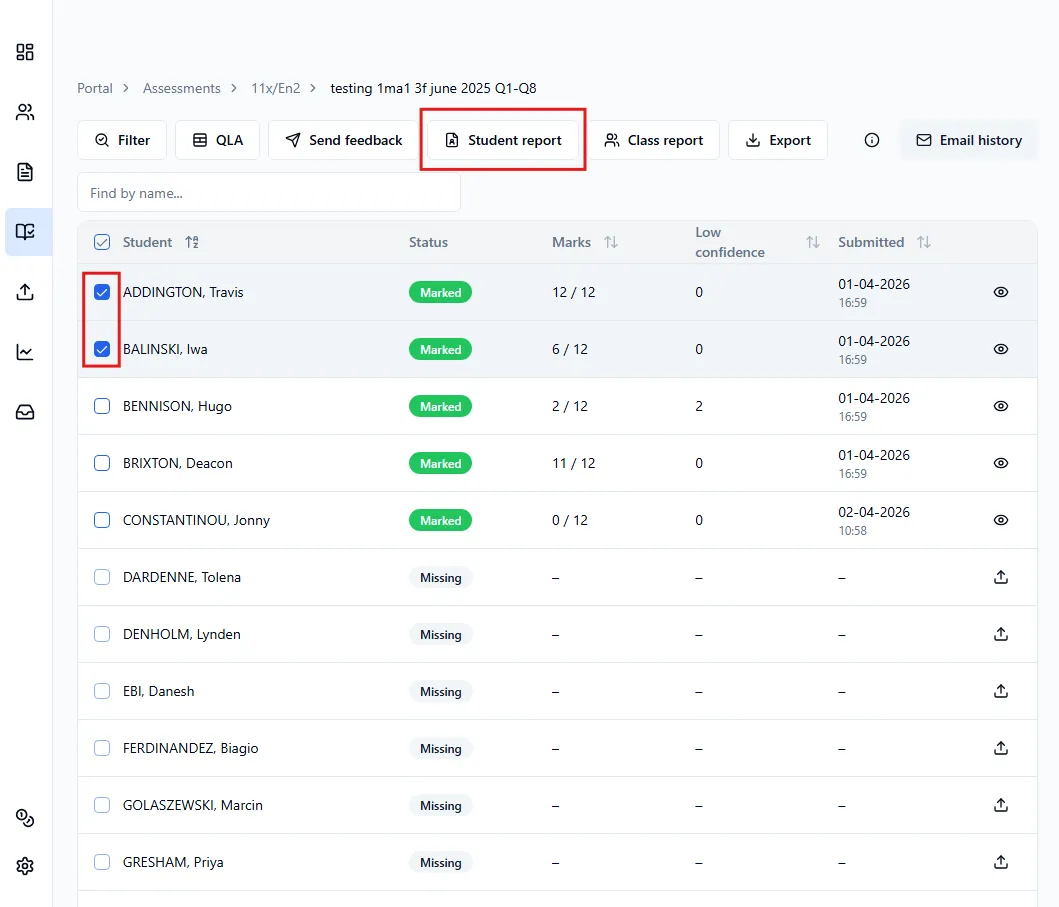
Section titled “Download student reports”- Head over to the Submissions page for the assessment.
- Select the students whose reports you want to download.
- Click Student report.
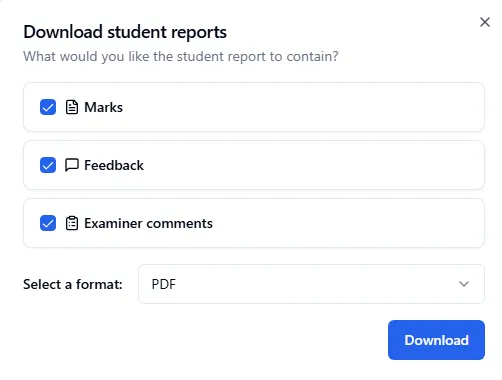
In the window that opens, you can choose:
- What’s included: marks, feedback, or examiner comments
- Download format: PDF or Word document