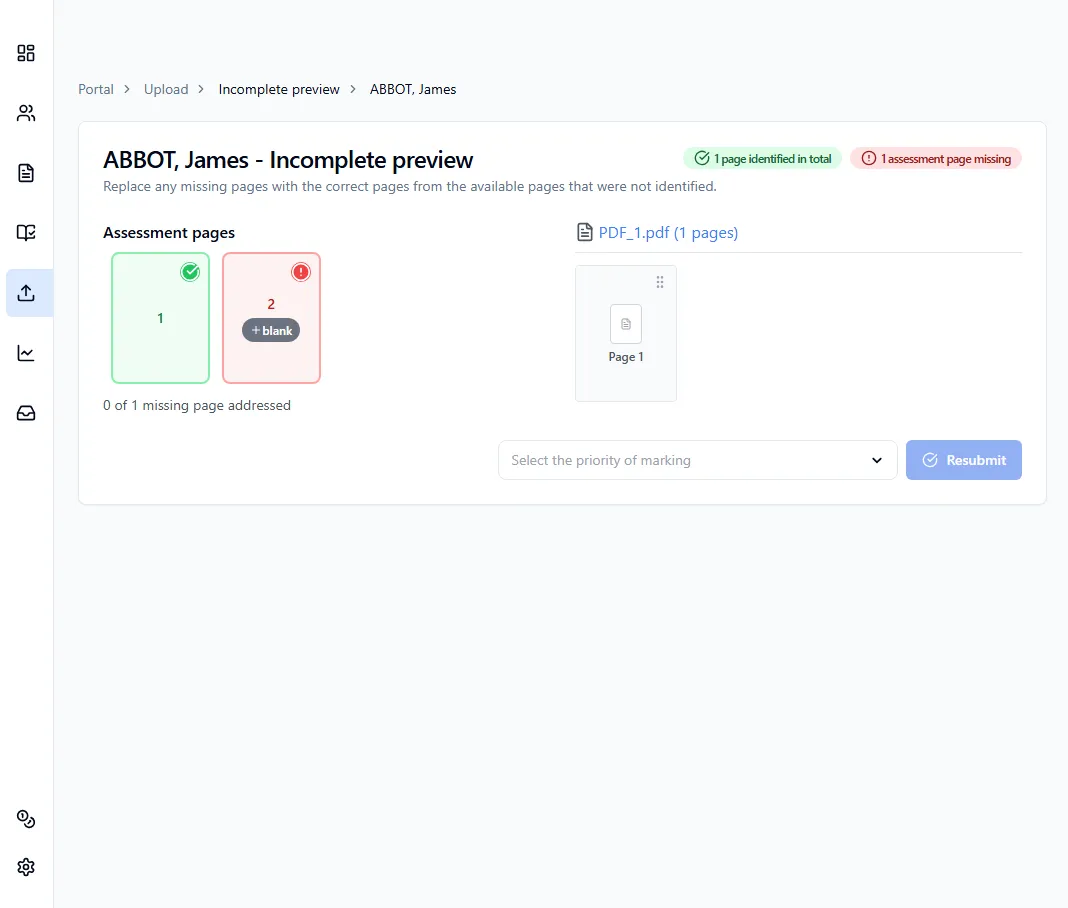
Fix incomplete uploads
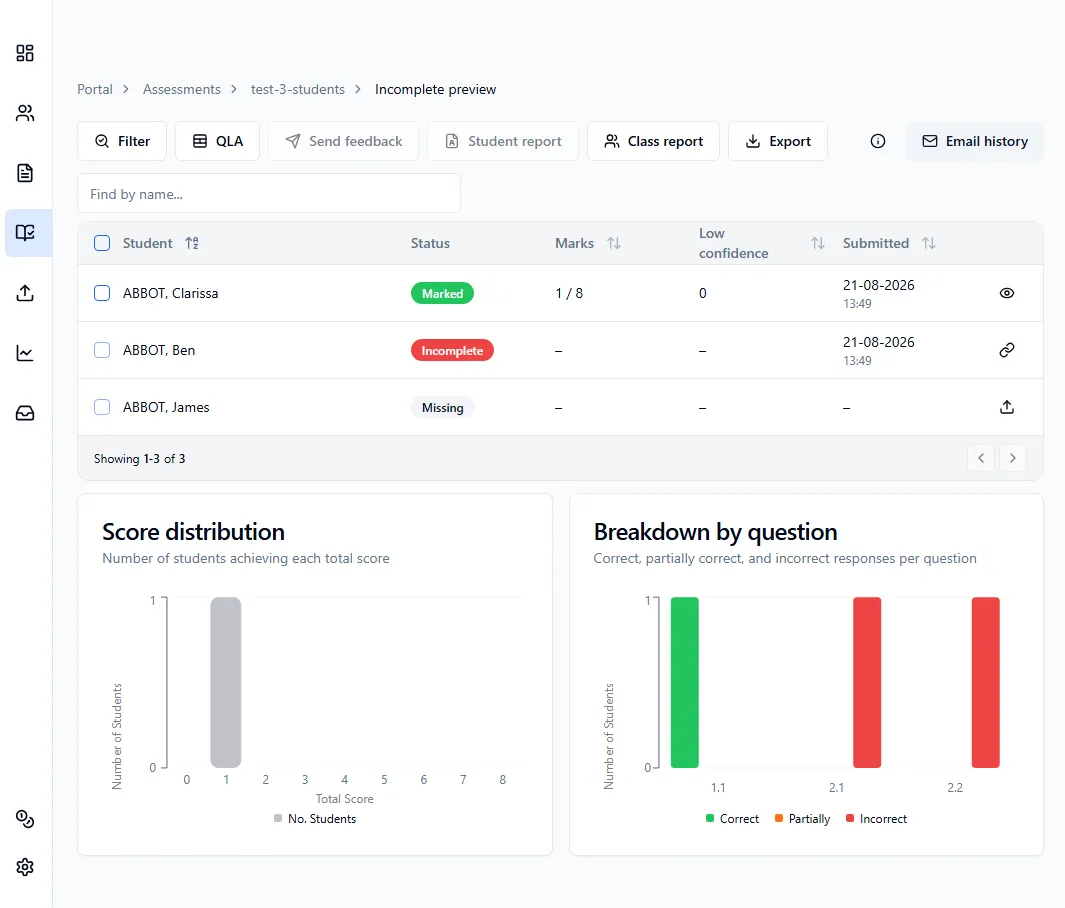
If a student’s submission shows as Incomplete, one of two things has happened:
Missing page
Section titled “Missing page”Cause: some pages of that student’s paper were not in the PDF you uploaded.
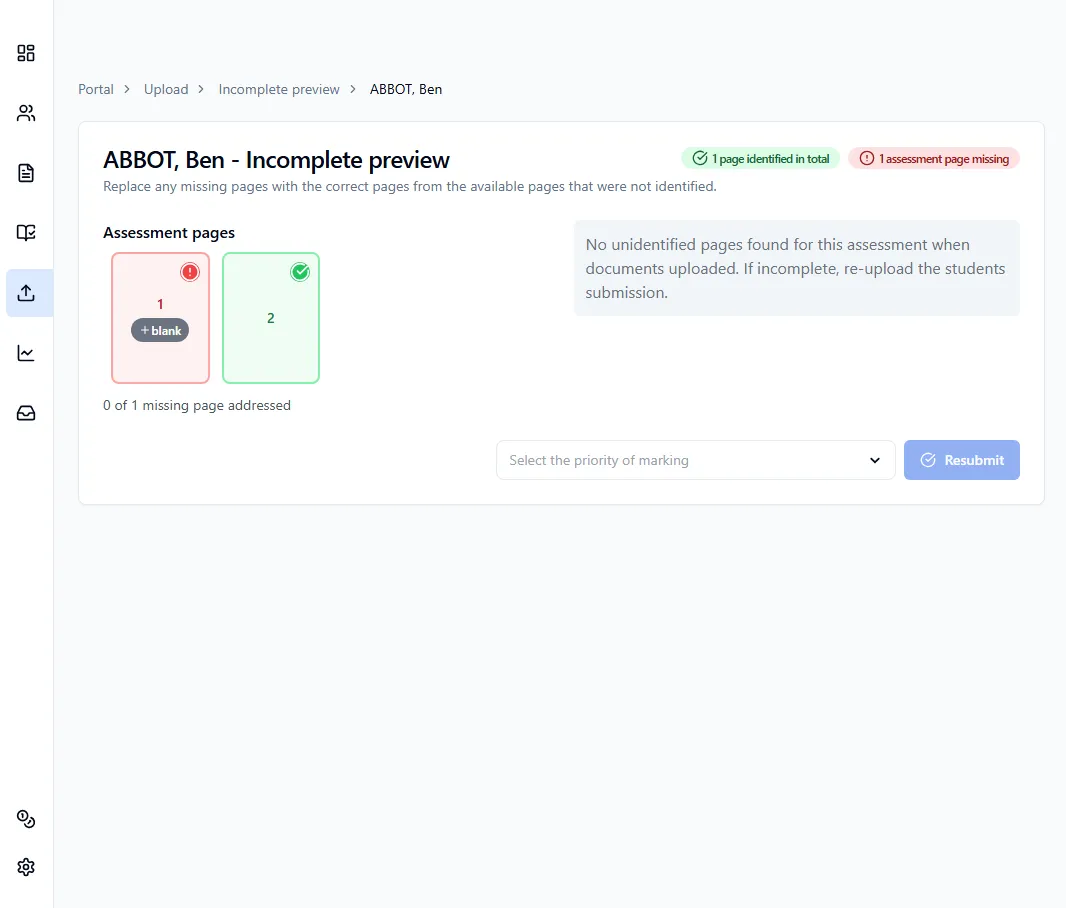
Solution: scan the missing pages and upload them under the same assessment - the system will merge them with the pages already uploaded. Otherwise, open the student’s submission and you’ll see a grid of their identified pages, add blank pages in the place of the missing pages.
Unrecognised QR code or page ID
Section titled “Unrecognised QR code or page ID”Cause: the system could not identify certain pages, usually because the QR code is damaged, smudged, or covered.
Solution: open the student’s submission and you’ll see a grid of their identified pages alongside any unallocated pages on the right. Drag each unallocated page to the correct slot in the grid, then save.