Upload submissions
Once you’ve scanned the completed assessments, head over to the Upload page and click Upload submissions.
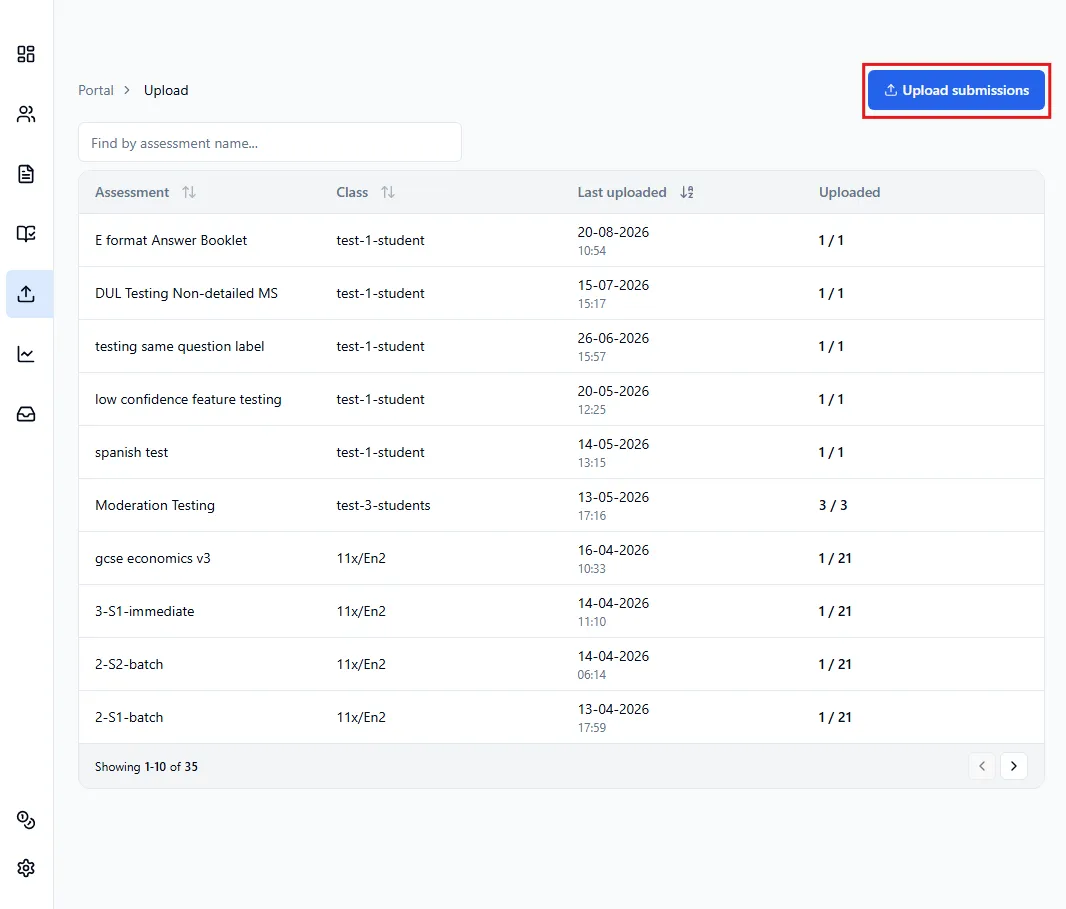
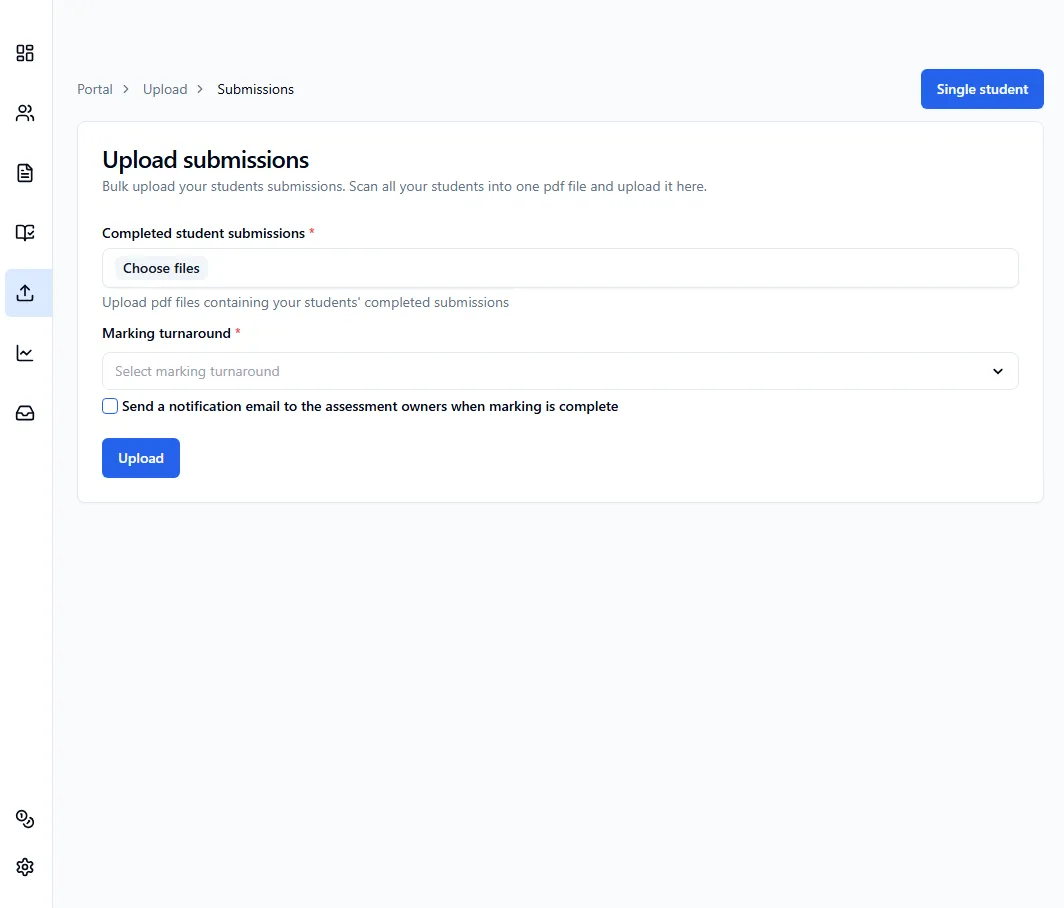
You’ll then need to:
- Upload PDF files containing your students’ completed submissions
- Select marking turnaround
Once you’re done, click Upload and the platform will automatically assign the submissions to the correct students and start marking.
Marking turnaround
Section titled “Marking turnaround”You can choose how quickly you need the assessment marked.
- Immediate (typically 10-30 minutes)
- Next-day (within 24 hours, 20% less credits): The assessments will be marked within 24 hours, though in the majority of cases it’s much quicker. This option is recommended if you don’t immediately require the marking and feedback.