Upload a worksheet
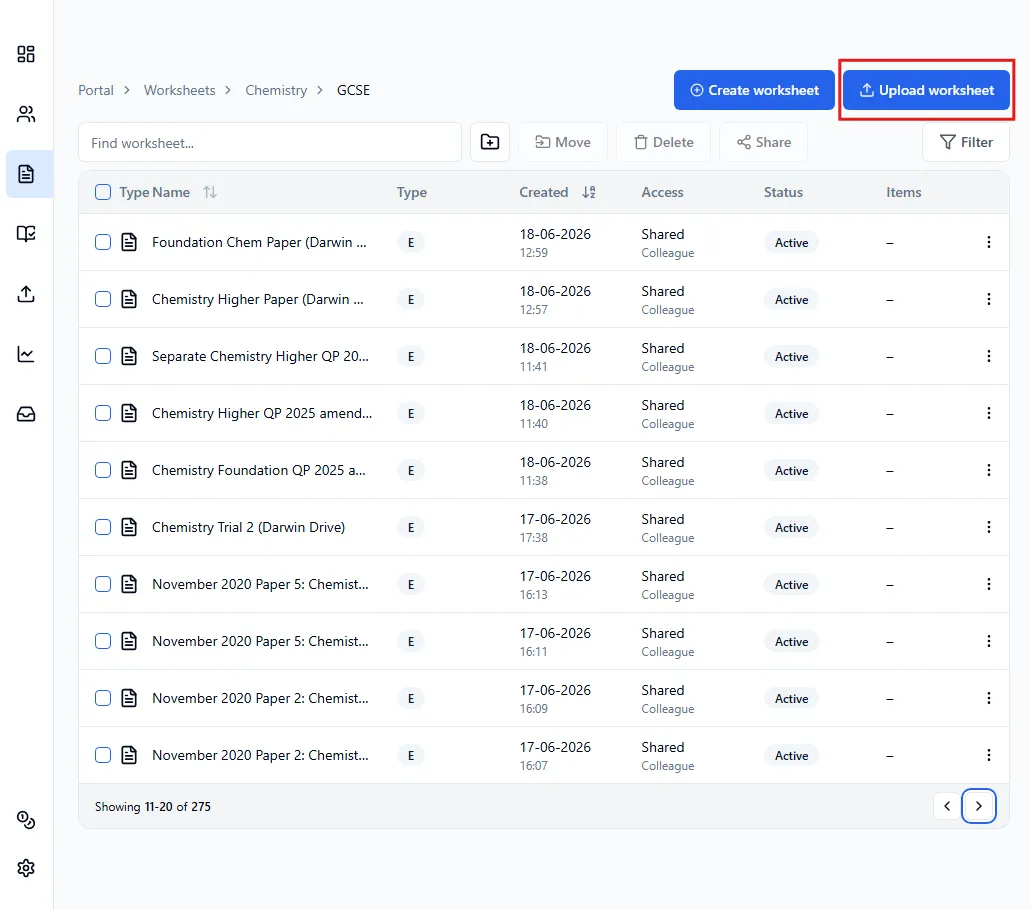
Once you are in the Worksheets page, click on Upload worksheet.
This uploader will keep the exact format of your worksheet and write Running Paper’s QR codes on top (external format). This will give students the most exam-like experience as they get familiar with the structure of the real exam.
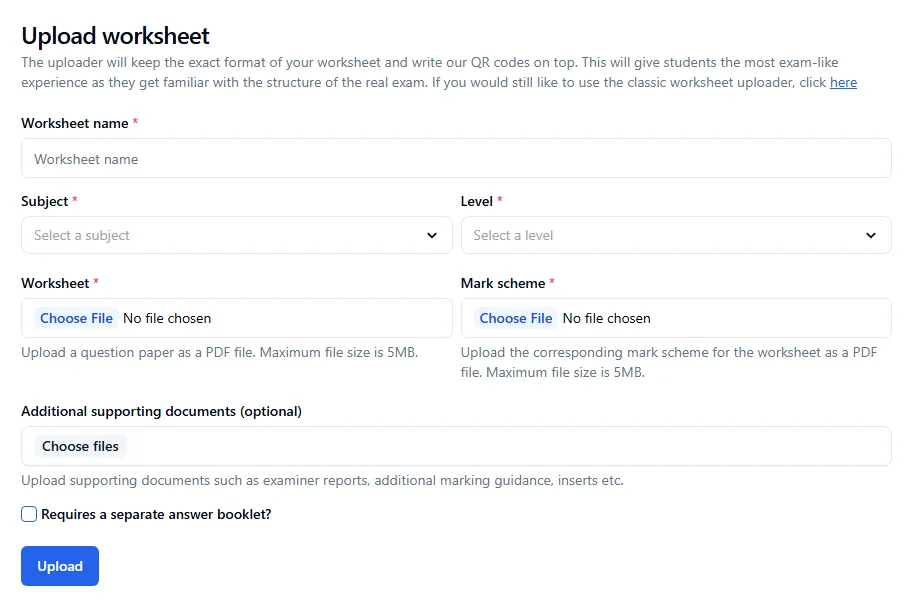
Once you’re done, click on Upload.
Answer booklet
Section titled “Answer booklet”Certain assessments require an answer booklet, such as English Literature papers. In order for your worksheet to include an answer booklet, tick the Requires a separate answer booklet? box.
When creating the assessments, you will have the option to select how many prepopulated pages the answer booklet should contain.(See external format assessment with answer booklet)